I recently spent some time looking at automation capabilities for S/4HANA. SAP provides plenty of tools, but which is the right one? Hopefully this will help other developers looking to follow a clean core approach.
The key question from an architectural perspective is how will your automation be triggered? Time based (scheduled), data driven (logical condition), change request (workflow), or real time (event driven). See my previous article on how to use RAP events for how this could be used.
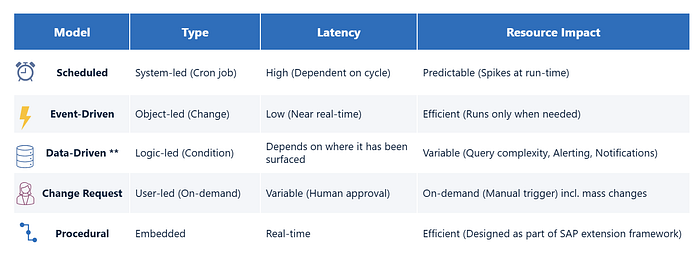
Our Use Case: Adding Condition Records After a Material Extension
We wanted to identify missing material determination master data records and run an automation job to create them. Our solution comprised of:
- A custom CDS view which looked at change history and surfaced records that needed updating.
- A RAP application in which users could identify missing records and create them using a Fiori Elements application.
- A scheduled job which used a parameterised CDS view to update records.
- A BRF+ decision table which could be used for deriving specific values (future date calculations) that could be configured by the business.
What Are Your Options?
A number of the “older” technologies are still available in S/4HANA and can technically be used: SM37, SAP Business Event Handling, and Standard Workflow (event linkages) all running custom ABAP programs.
Frameworks & Ratings
Check SAP note 3578329 (S-User needed) for an overview of how SAP classifies the automation (and other) capabilities. Of course you want to strive for an “A” rating.
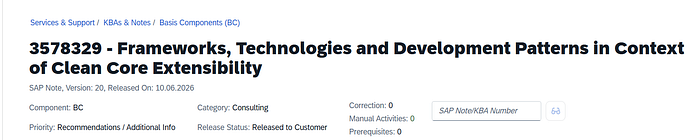
You could also use SAP Event Mesh, ASAPIO Add-on, or SAP Build Process Automation for external-facing automations. I have even seen clients use migration technologies like LSMW and LTMOM for running automations (these tools are not designed for on-going “business as usual” work).
As we only needed to automate data on the S/4 stack, going “out” of the stack using event-driven architecture was considered too complex for our requirement.
Application Jobs Framework
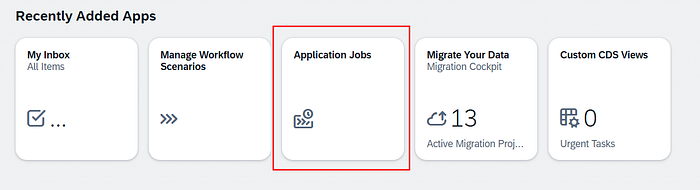
We used the Application Job Framework — the successor to SM37. Here you are able to schedule jobs using the SAP standard Fiori app:
You can schedule jobs and view logs of previous runs:
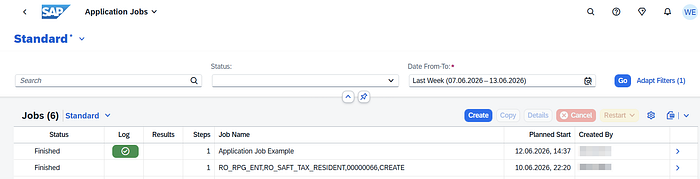
It includes the application logging that is needed. All you need to do is set up (in Eclipse) a Job Catalog Entry and Application Job Template:
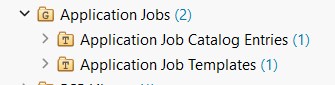
The Job Catalog points to your custom class which implements the following interfaces:
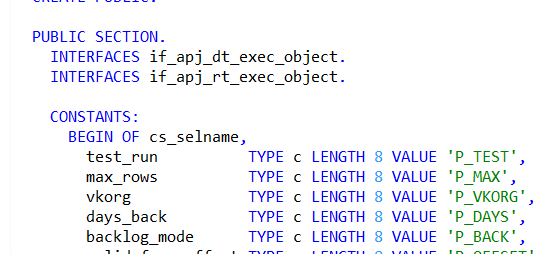
This article provides more detail on how to configure and set these up.
Making the Automation Job Configurable
In our use case we needed to create a BRF+ Rule so we could allow business users more flexibility when creating condition records. We built a decision table like this:
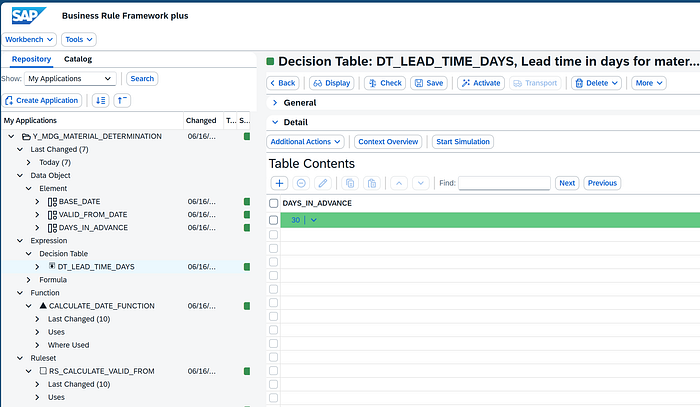
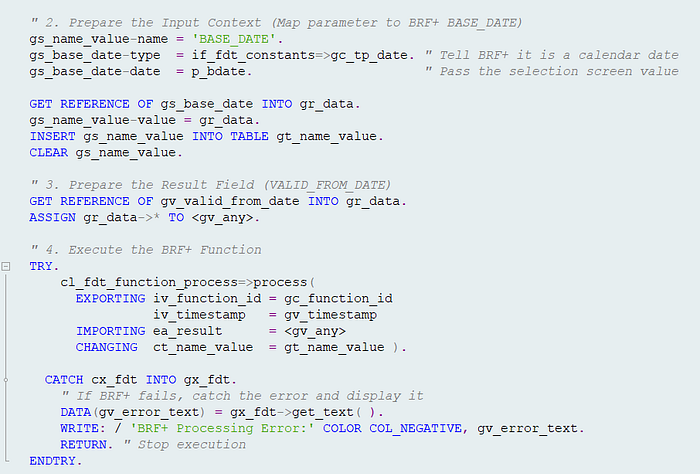
In our automation job we were then able to read this ruleset and incorporate it into the custom ABAP class we created above. Here is a snippet of the ABAP to call the function in BRF+:
Conclusion
We followed clean core principles as much as possible (yes, there is some technical debt in terms of the custom CDS views and ABAP classes) but we were able to build an efficient, customisable system.
What have you used?